Mona
Mona is your chief of staff for the financial case. It knows the whole case, proposes what to do next, does the work or delegates it, and reports back with its sources. Legal judgment and strategy stay with you.
Asking Mona
Click Ask Mona in the sidebar, or press ⌘J, to open a chat beside the page you're on. It stays open as you move around the case. Press ⌘J again or Escape to close it.
Write as you would to someone on your staff. Two good first questions are Where does the case stand? and What should we do next? A new chat offers both. For more, see What you can ask for.
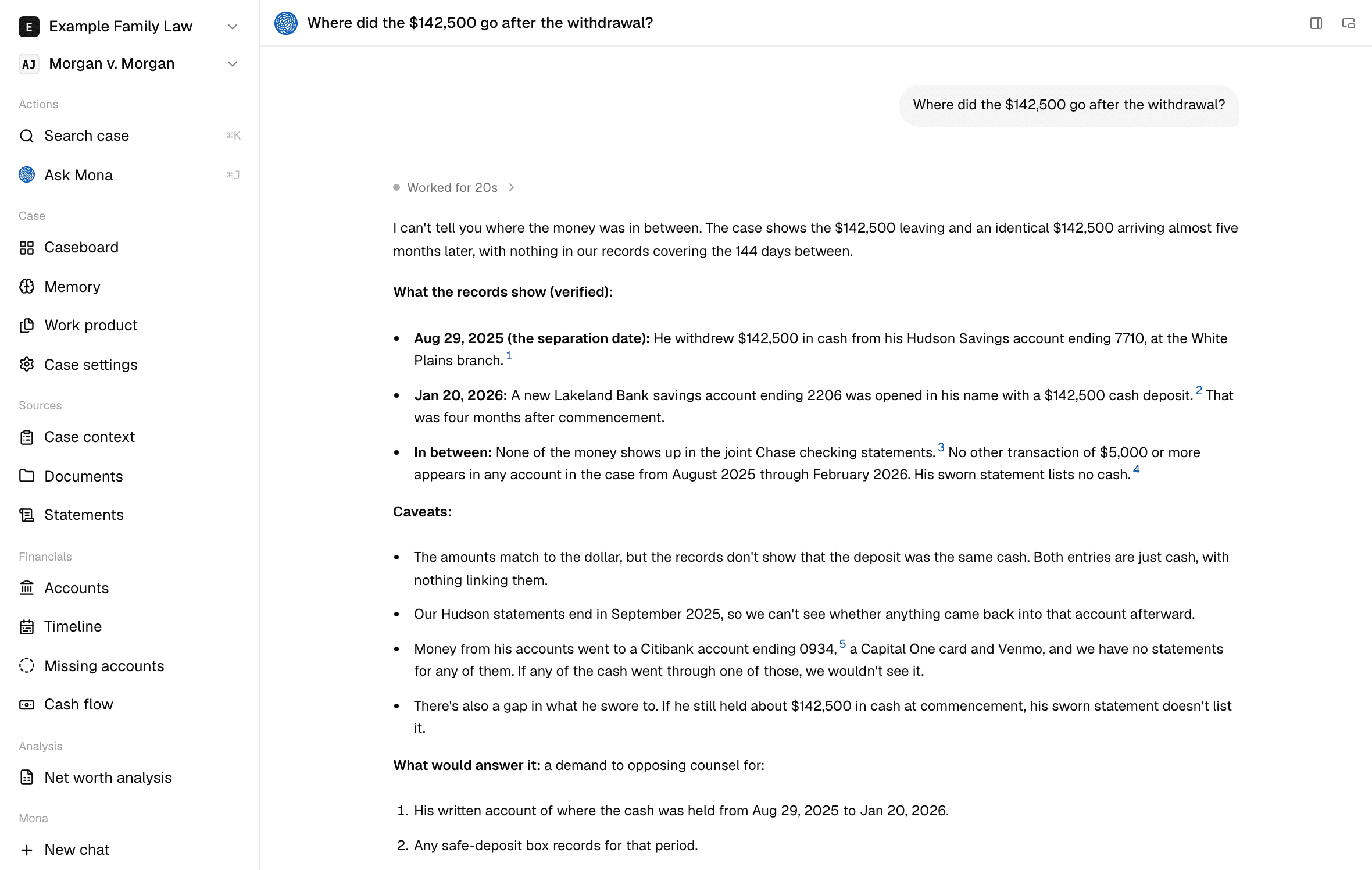
Your chats are listed under Mona in the sidebar, most recently active first, with a spinner beside any Mona is working on. Click one to pick it up, or click New chat to start another. To rename a chat, open its menu.
A new chat starts from the case memory, without your earlier chats. Ask Mona to record anything you want it to keep.
How Mona works
Mona works through the case's ranked tasks in a loop:
- Suggest: it offers one to three tasks it can move now, each with the next move, what it would settle, and its cost, and it recommends one.
- Work: you pick one, and Mona takes the cheapest route that ends in a cited answer: reading the evidence, doing its own analysis, or sending a subagent.
- Update: it writes the answer into the case memory, closes or parks the task, re-ranks the rest, and adds new leads.
Each turn that finishes work ends with a suggested next task. You can enter the loop anywhere and ask a question at any time.
You steer the loop through the memory. Mona ranks its work against your client's Objective, and it follows your Decisions from then on.
What Mona can do
- Read the case: documents and what was read from them, case context, the case's details, both parties' statements, the memory, and what changed since its last update.
- Investigate the money: accounts, statement periods, transactions, and cash flow, with calculations that show their inputs.
- Research the law: statutes, regulations, and court opinions, along with other public pages.
- Calculate: support and pension shares.
- Write: the case memory, and work product: support and ED analyses, discovery demands, interrogatories, and subpoenas.
- Delegate: send Trace or the Statement agent, follow their runs, and read what they found.
For what Mona doesn't do, see What Mona can and can't do.
How Mona reports
- Answer first: then the support, then what's unknown and what would settle it.
- Numbers and sources: it writes "$28,000 transferred Jan 12, two months before commencement," with a footnote, and leaves out adjectives such as "suspicious."
- A label on every figure: Verified, Computed, Estimate, Declared, or Client-stated. See Evidence and citations.
- Ranked by likely effect: what it finds and recommends is ordered by how much it could change the outcome of the case and how likely that is.
- Candid: your client's weak points are reported as plainly as the other side's.
- Both readings of a conflict: when two sources disagree on a fact that moves a number, it shows both and what each would change, and asks for the document that settles it.
- Your call on the law: it writes "a pre-filing transfer that he has not accounted for; whether it was dissipation is your call." It uses words such as "dissipation" as a conclusion only if you use them first.
What needs you
| What | Does Mona ask first? |
|---|---|
| Reading and searching the case | No. |
| Writing the case memory or a work product, and sending a subagent | No. Each is recorded, and you can edit or stop it. Mona does ask before long or costly work, such as a batch of Trace runs. |
| Changing the case's details, adding a line the Statement agent proposes, or anything that leaves the firm | Only you can do these. Mona has no tool for them. |
When Mona sends a subagent
Mona opens a source itself to answer a question or to find something. What a line was worth and what supports it go to Trace, and whether a statement holds together goes to the Statement agent. A value on a statement comes from Trace's assessment and its evidence, and never from what Mona writes in a chat.
Click Show side panel on the chat's page and open Subagents to see the runs the chat started and the work product each wrote. Each run shows Queued, Working, Waiting on you, Done, Stopped, or Failed. While a run waits on you, the chat's header shows how many are waiting. The Work product tab beside it lists what Mona wrote in the chat.
You can keep working while runs go. When the runs from one of Mona's turns have all finished or stopped to wait, Mona hears back in that chat and updates the memory there. Results land in the same place as a run you start yourself.